
Data Loggers For All Applications
Data Loggers for All Applications
1 - 800 - 956 - 4437
Monday - Friday
8am - 6pm (EDT)
Find a data logger by selecting an application from the list below.
Request Pricing & Information
Home -> Grant Instruments  -> Grant PaintView Software

Grant PaintView Software

Product Overview
  • Spreadsheet style software for exclusive use in paint curing applications
  • Offers the choice of the Grant ‘classic cure’ and ‘area integration’ cure analysis methods
  • The tolerance curve feature gives the ability to draw ideal curve and verify data
  • Graphing feature offers annotated curves, zoom and cursor scrolling analysis
  • Report generator provides standard reports on all functions of the curing process to provide proof of compliance to curing requirements
  • Export data into Excel or as a CSV file for customizable data analysis
Useful Links
Grant PaintView Software


Manufacturer - Grant Instruments

Model Number - PAINTVIEW

Product Spec Sheet

PaintView Software


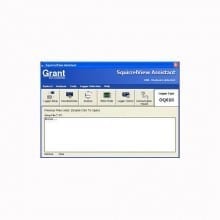
PaintView is an easy to use software package designed for exclusive use in the paint and finishing industry and is included FREE with every OQ610 temperature logger. It enables easy setup of your logger and automatic download of your data from the logger into a meaningful measure of paint cure. For advanced paint cure calculations, it can also provide rapid interpretation of results. PaintView also gives you the additional benefits of graphically analysing your historical and on-line data, along with advanced reporting.

Key Features


  • User friendly spreadsheet style software for exclusive use in paint curing applications
  • PaintView offers the choice of the Grant 'classic' cure and area integration cure analysis methods
  • A database can be built of different paint types from various paint manufacturers
  • USPaintView provides zones for optimal paint solving in your process
  • With regular usage the software can pinpoint any uneven temperatures within the stoving process
  • The tolerance curve feature gives the ability to draw your ideal curve and check that your data fits
  • Easily view and control the logger status from one single screen
  • Security function protects your data and setup configurations
  • The graphing feature within the software offers fully annotated curves, zoom and cursor scrolling analysis
  • All settings can be saved for reuse
  • The report generator can provide standard reports on all functions of the curing process to provide your customers with proof of compliance to their stoving requiremen
  • Export data into Excel™ or as a CSV file for customisable data analysis
Setup
  • Setup can be verified before it is sent to the logger
  • Converts setup files from previous SquirrelView or PaintView software
  • Report options for data presentation
  • Hide facility allows you to tailor setup interface to your own requirements
  • Print setup information
  • Facility to setup templates
Meter Mode
  • Displays up to 16 channels in real time
  • 3 Plot types: line graphs, gauges & dials
  • Auto scaling of Y axis
  • Value readout at cursor position
  • Saves metered data for re-use in other software
  • packages
  • Graph printout facility
  • Graph can be presented in various style
Download
  • Download directly as a CSV file
  • Download straight to a graph
Export
  • Easy to use export wizard
  • Customisable data export for Excel™, Lotus™ or other applications
  • Export viewer allows quick view facility of data
Additional Features
  • Tips of the day - provides informative shortcuts
  • Logger diagnostics
  • Security feature enables password setup
  • Communication wizard enables easy setup of USB
  • Interactive Help
Analysis
  • Easy analysis for OQ series loggers
  • Easy to use Explorer style interface
  • Fully configurable data views
  • Creation of templates
  • Flexibility for customisable reports
  • Facility to include text comments with graphs
  • Flexible zoom feature including X and Y axis
  • Statistics calculator
  • Auto scaling of Y axis
  • Value readout at cursor position
  • Set and view high and low level thresholds
  • Customisable report facility: prints out graphs, readings,etc
  • Tolerance curve
  • Calculated channels
  • User notes
  • Archives
  • File convertor from Setwise and Squirrelwise
  • Product cure calculation
  • Display oven profiles and oven zones
  • Append/add data files
  • Import CSV file
Minimum Computer Requirements
  • Microsoft Windows XP™, Vista™ or Windows 7™
  • Pentium II 266 MHz
  • RAM as specified by PC operating system
  • 60 Mb hard disk space and 1 CD drive
  • Colour SVGA monitor running at 800 x 600(1024 x 768 recommended)
  • 1 RS232 or USB port (where applicable)
  • Mouse

Request Pricing & Information

If you need information right away or prefer to speak with a person, call us and one of our Experienced Applications Engineers will be happy to talk with you. You can reach us at 1-800-956-4437 during our normal business hours Monday - Friday from 8am to 6pm (EDT).

After filling out the form below, an applications engineer will contact you within at least one business day.

Indicates a required field.

Fields that are not required are recommended to be filled out so that we can better assist you.

Request Form

Name Address 1
Email Address 2
Phone # City
Company State
Job Title Zip
Fax # Country
Product(s)

of Interest
Application
Additional

Information
Human Verification What is the next number after 9?  
Newsletter Sign Up - Here at CAS Data Loggers we are constantly publishing new articles, and now you can receive monthly emails to see what's new. By signing up for our monthly newsletter, you will also receive the newest application notes where our products are being used and many other resources such as white papers, videos, technical articles and new product information.

Home | About CAS | Policies | Distributor Login | Systems Integrators

©2011 Computer Aided Solutions, LLC.