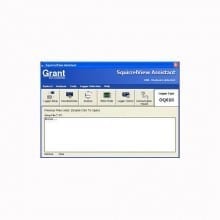

Grant SquirrelView Software
|
Product Overview
Useful Links
|
SquirrelView & SquirrelView Plus Sofware
SquirrelView is a universal software package that is included with every new Grant Squirrel data logger.
Its intuitive, user friendly, spreadsheet style interface allows quick set-up of the data logger for any application, speedy download of data and direct export to Excel™. SquirrelView Plus gives additional benefits such as graphical data analyses and advanced reporting options.
Minimum PC specification: – Windows® XP, Vista or Windows 7; Pentium II 266MHz; 60Mb hard disk space and 1 CD drive, colour SVGA screen (1024x768 recommended), at least one RS232 or one USB port, mouse.
Key feature
- Intuitive, user friendly spreadsheet style setup allows quick logger configuration in any application
- Flexible data presentation allows you to quickly display and analyse real time or historical data as a line graph, bar chart or analogue gauge
- Graphical alarm and event identification lets you easily identify occurrences around specific analogue or digital events e.g. pump coming on
- Quick Graph function lets you quickly and easily view large data files
- Export data into Excel™ in real time, or as a CSV file for customisable data analysis
- Easily view and control the logger status from one single screen
- Use the simple communication wizard for hassle free working with modems, Ethernet, GSM, etc.
- Download data by date, time or events, saving time when working via modem or looking for specific data
- Save settings on the PC for efficient re-use
- Protect your data and set-up configurations with the security function
SquirrelView Plus-Analysis
SquirrelView Plus lets you quickly and easily analyse the data from your Squirrel data logger in a familiar Explorer™ style interface. Data can be displayed with 2 different auto scaling Y-axes. This is particularly useful when displaying widely varying data from different sensors on one graph. You can also zoom in on areas of interest, use a cursor to pick out exact values, times and dates, get a statistical summary of your data, set high and low alarm thresholds and, using the calculation function, you can create new virtual channels from existing channels.
SquirrelView Plus also incorporates a report generation facility, which allows you to create custom report templates consisting of a title page with descriptive text, headers and footers, graphs, tabular list of data, statistics and data logger setup information. Templates can be setup with any of these combinations and saves time when preparing similar presentations of data.
SquirrelView & SquirrelView Plus |
SquirrelView Plus Version only |
||||||||||||||
|
|
Application Notes
Below features our collection of application notes and case studies involving this product.
Temperature Profiling for Molten Product Pourings
Performance Validation of Test Cars
Request Pricing & Information
If you need information right away or prefer to speak with a person, call us and one of our Experienced Applications Engineers will be happy to talk with you. You can reach us at 1-800-956-4437 during our normal business hours Monday - Friday from 8am to 6pm (EDT).
After filling out the form below, an applications engineer will contact you within at least one business day.
* Indicates a required field.
Fields that are not required are recommended to be filled out so that we can better assist you.