


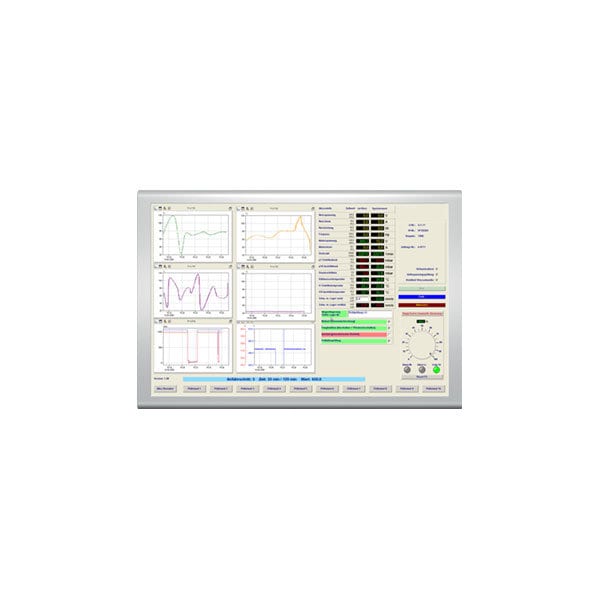
ProfiSignal Klicks
Configuration and Analysis Software for Message Systems
|
Product Overview
ProfiSignal Klicks is software for test automation and the programming of control systems. Central to Klicks is the easy to learn and operate technique of programming by selection.
Useful Links
|
![]() Manufacturer - Delphin Technology
Model Number - ProfiSignal-Klicks |
ProfiSignal Klicks provides a complete solution to all your requirements:
- Generates testing and processing procedures, automates trial and experimental processes
- Input of parameters and recipes
- Measurement data acquisition and analysis
- Operation and observation
- Monitoring
- Data services and reporting
ProfiSignal Klicks enables testing, processing and trial procedures to be generated much more easily than was previously possible. ProfiSignal Klicks provides a universal and complete tool for solutions which until now have required more than one software package, e.g. SCADA + PLC. ProfiSignal Klicks enables users to generate complete applications using just one programming package. Interface problems are a thing of the past as are the high cost and time requirements of running different software packages from different suppliers.
ProfiSignal Klicks revolutionizes programming techniques
With ProfiSignal Klicks, Delphin Technology AG has developed an innovative product enabling the easy generation of testing, trial and processing procedures. ProfiSignal Klicks provides a range of software function blocks from parameter input through to the reporting functions. Theses blocks only require configuring thereby significantly shortening lead times from project planning through to real time running. A major innovation from ProfiSignal Klicks is its object oriented programming language. It differs from traditional programming systems in that it requires no learning and no IT knowledge. The programming code is intuitively generated using the mouse. This eliminates the arduous task of typing up code and the searching for objects, attributes and variables. ProfiSignal Klicks serves everything up on one tray (programming by Selection). ProfiSignal Klicks allows technicians and engineers to generate and maintain their own applications. This removes all the problems associated with out-sourcing (e.g. time, information exchange and bad-feelings). Incorporating new requirements can also be quickly performed.
Structured according to projects and applications
ProfiSignal Klicks organizes tasks according to projects and applications. This enables tasks to be organized and managed at company level. For example, projects can provide an overview of applications running in various departments. Examples of applications could be product testing, experimental set ups, laboratory trials, turbines, stirrers etc.. What is important is that each project and each application is seen as an independent unit which can run parallel to each other.
ProfiSignal Klicks in development mode
The illustration shows ProfiSignal Klicks in development mode. The tree structure on the left shows how projects and applications are organized. This structure, functioning like the Windows Explorer, allows fast access to individual objects, even in highly complex projects and applications. It can be clearly seen that each application (the example here is the Endtest-Platz-4) has visualization, parameter, structure and report diagrams allocated to it. When creating a new project these diagrams are provided blank allowing the user to complete them with the required objects.
Structured working provides overview
Program procedures are represented in ProfiSignal Klicks via a structure diagram. The graphical structure of applications is determined according to set rules.
Structure diagram provides overview of tasks
A structure diagram provides the user with a complete overview of even highly complex projects. Each symbol within a structure diagram represents a task. Clicking on a symbol gives access to the corresponding program code. The program code is generated intuitively, in a few mouse clicks, using a new programming technique. In this way there is no need for any typing in of program code. This technique uses key words and knowledge lists. All that is required is for the programming code to be selected to replace the key words. Knowledge lists are automatically generated within ProfiSignal Klicks and incorporated into the application. Using this technique guarantees that no syntax errors can occur.
ProfiSignal Klicks intuitively programs each process block with just a click
Major benefits of using ProfiSignal Klicks:
- ProfiSignal Klicks provides a complete system for the creation of test, processing and trial procedures, the acquisition and analysis of measurement data, operation, observation and monitoring.
- An overview of even complex projects can be maintained by the organization of tasks into a structure diagram.
- Innovative programming technique for the easy generation of programming code - no IT expertise necessary.
- Process visualization diagrams for operation and observation.
- Limitless functions for the assessment and analysis of measurement data - ProfiSignal Basic functions also available for ProfiSignal Klicks.
- Parameter diagrams for the input of recipes, test and charge data.
- Report generator for the creation of application specific reports. These can include tables, measurement values, graphs, input data, and computed values. Reports can be automatically output according to events or times.
Structure diagram
|
Any testing, trial or processing procedure can be portrayed within a structure diagram. Applications are graphically portrayed within a structure diagram in the form of blocks and links. This takes place step by step according to set rules. The structure diagram provides a complete overview of even highly complex projects. Each block within a structure diagram corresponds to a certain task. The user can determine himself how detailed each block should be. |
Example of a processing procedure. The green colored symbols are currently beeing performed. |
Only 5 block types are required to create a task within a structure diagram:
|
Start block
All program procedures require starting. Only one start block is permitted for any application. |
|
Processing block
These are ordered in a vertical direction within the structure diagram and describe the task in a chronological sequence. Each programming procedure which begins with a start block and ends with an end block requires at least one processing block. Only one processing block may be active at any one time. |
|
Parallel block
These run in parallel to processing blocks. They can be called from either a processing or event block. They are intended for processes which are time intensive, e.g. filling of containers. |
|
Event block
These react to events which occur at specific time points, e.g. operating action or the reaching of an operational temperature. Event blocks run independently to processing and parallel blocks. Event blocks are always linked to visu objects. An event block is automatically generated when the event function of a visu object is activated. |
|
End block
These end a program procedure. Several end blocks can exist because a program may be ended under different conditions. |
|
The following rules apply for the linking of blocks within a structure diagram:
Clicking a block within a structure diagram will open it to generate the program code. In this way the block is brought to life at just the click of a mouse. The benefits to the user is that a process can be structured graphically as a program procedure with each block representing a specific function or part of the process. A major benefit is that the user obtains a clear overview of the application in hand. |
|
Intuitive programming technique
The blocks in the structure diagram act as containers for program code. Clicking on a symbol opens the block for the generation of program code. ProfiSignal Klicks provides a new object oriented programming language which differs from conventional languages such as Visual Basic in that not one single line of code needs to be written. It is a language that requires no specialist learning, no specialist knowledge and no specialist training - a little practice is sufficient to start producing your own applications. Any engineer or scientist, equipped with knowledge of the task in hand, can generate his or her own systems without any specialist IT knowledge.
The program code in the illustration below looks like conventional typed-in code. In fact it has been entirely generated with just a few mouse clicks. ProfiSignal Klicks has only 2 types of command (query and action). These are sufficient for the complete range of applications. When the user generates new lines of program code, he needs only to make a choice between these 2 alternatives. Key words and knowledge lists are at the heart of this completely new type of programming system.
The user's task is to call up a knowledge list by clicking on key words and to make the appropriate selection (programming by selection).
The next illustration shows how visualization objects in other diagrams can be selected along with their attributes. While conventional programming languages require program code to be typed in, ProfiSignal Klicks requires only the selection from knowledge lists. In this way the user can not make any syntax errors. The user does not even have to search in other sections of a program for objects, attributes or variables in order to create an instruction. These are made available in knowledge lists which appear automatically in the background.
Parameter diagram
A parameter diagram permits the easy input of test parameters, charge data, recipes, etc.. Creating a parameter diagram takes place mainly in the development environment and is as simple as creating process diagrams. Predefined objects are available to the user for creating parameter diagrams to meet individual and specific needs.
Parameter diagram symbol bar
Objects from the symbol bar can be incorporated into a parameter diagram using the drag and drop function.
Examples of objects are text input fields, check boxes, selection boxes, drop down menus, keys, labeling fields, radio controls and tables.
Multiple page parameter diagrams can also be created. Parameter input then takes place during actual run time. Parameters can be input or altered independently from processes running simultaneously. Parameter diagrams can also be called from control programs. For example, an operator of a testing bench can be intuitively guided through the program steps. The operator need only input or select the parameters for the specific testing procedure. The control program then accesses the inputted data or selects parameter file.
The below illustration shows a parameter diagram for an accumulator test stand.
Reports
Many applications require reporting or logging functions, e.g. product testing which as a rule has to take place according to predetermined standards.
Reporting functions are also usually necessary accounting and auditing requirements, ideally containing measurement or assessment data at pre-determined intervals. Such requirements can be automated and ProfiSignal Klicks is the ideal tool to achieve this. Conventional solutions either require measurement data to be converted before being input into analysis software, or application specific reports need to be developed using a high level programming language.
Each of these 2 methods have major disadvantages:
Converting measurement data usually involves extensive user effort. Acquired data needs to be converted into a different format. Manipulating data manually is not only time intensive but can also lead to inaccuracies and errors taking place.
A high-level programming solution involves high developmental costs and poor maintenance conditions. Reporting and analysis functions need to be flexible, for example, because of the changes taking place to standards and regulations.
ProfiSignal Klicks' report generator offers a solution for the easy and time-saving production of reports. Designing reports takes place in the developmental environment. Pre-defined objects are available for the developer to create reports for specific requirements. Creating reports takes places in the same way as the creation of process and parameter diagrams.
Reports symbol bar
Report objects from the symbol bar can be incorporated into a form using the drag and drop function.
Objects can be graphs such as yt-graphs or yx-graphs, tables, pictures, label fields and measurement and calculation fields. Other features include automatic page numbering and date setting. The illustration shows a section of a report and how it appears in the developmental environment.
Creating a report in the developmental environment
As well as data input via the parameter diagrams, an application's output is also stored in an integrated database. Reports can be generated at any time from this data, both manually and automatically. Older reports can be printed out whenever required. This can provide an excellent and practical method for quality assurance. The following example shows a report containing headings, inputted data, measurement data, calculated values and several diagrams.
Example of applications
Process engineering
In processing engineering, the automated acquisition and documentation of process data is a basic requirement for maintaining and validating the quality of manufactured products.
A monitoring function is also desirable for the early detection and correction of any process anomalies.
This covers a range of applications from a simple measurement data acquisition and archiving system through to automated monitoring, the analysis and logging of process parameters and a fully audited acquisition and monitoring system.
ProfiSignal Klicks provides the user with the perfect tool to meet the requirements of process engineering. ProfiSignal can grow with any new demands and requirements. Systems can be extended and enhanced by the user himself at no great effort.
ProfiSignal is suitable for both systems with low channel numbers or cross-departmental systems with several thousand channels.
Testing technology
Testing technology has become very important in developmental and production processes due to stricter product liability legislation and the need for producers to optimize quality and production costs.
ProfiSignal Klicks provides the user with a tool which enables the automating of testing requirements whether for type testing in the laboratory or unit testing on the production line.
The range of applications covers simple measurement data acquisition and archiving systems through to comprehensive testing systems with input templates, automated test procedures and testing logs.
The high flexibility of TopMessage devices and ProfiSignal software is vital for users in the field of testing technology. The user can easily adapt existing testing systems to any new requirements or demands and is no longer dependent on software experts.
ProfiSignal is based on Delphin's 25 years of experience in a diverse range of test bench applications for clients in industry as well as testing agencies.
Research and development
ProfiSignal Klicks now provides laboratory technicians and development engineers with a universal tool for use in research and development.
ProfiSignal Klicks' major benefit is that it allows users to set up their own trial and test projects.
Because of ProfiSignal's easy operation and extensive array of functions, trial processes can easily be automated.
Significant time savings can be achieved especially for experimental trials. The acquired trial data can be automatically acquired and logged.
Reporting functions are available to the user for documentation purposes, enabling reports to be produced which exactly meet user requirements.
| Modules and functions | Go | Basic | Klicks |
|---|---|---|---|
| DataService / Configurator | |||
| Data recording (database) | x | x | x |
| Message device configuration | x | x | x |
| Interface management | x | x | x |
| User management and password protection | x | x | x |
| Scheduler – programmable data transfer | x | x | x |
| Calculation, integrator channels, monitoring channels | x | x | x |
| Diagrams (online and offline) | |||
| y(t) diagram | x | x | x |
| Logic diagram for signal analysis | x | x | x |
| y(x) diagram | x | x | x |
| y(x) color diagram | x | x | x |
| Measurement data export – ASCII and CSV | x | x | x |
| Diagram as EMF export | x | x | x |
| Graphical elements | |||
| Analog display | x | x | |
| Digital display | x | x | |
| LEDs | x | x | |
| Block display | x | x | |
| Background images and animated .gif files | x | x | |
| Operating and control elements | |||
| Buttons | x | x | |
| Switches | x | x | |
| Text input | x | x | |
| Radio buttons | x | x | |
| Dropdown boxes | x | x | |
| Slide controls | x | x | |
| Manual controls | x | x | |
| Programming | |||
| Test parameter management | x | ||
| Report programming | x | ||
| Process control and automation functions | x | ||
| Timer and event management (Miniklicks) | x | x | |
| Table management | x | ||
| Adapter channels | x | ||
| Application variables | x | ||
| Application tables (2D and 3D) | x | ||
| Other functions | |||
| Data recorders with trigger functions | x | x | x |
| Screen print out function | x | x | |
| Set point curves | x | x | |
| Date and time display | x | x | |
| Offline calculation channels | x | x | x |
| Global alarm tables | x | x | |
| Vibro option | |||
| FFT and cascade diagrams | x | x | |
| Orbit diagram | x | x | |
| AlarmManagement option | |||
| Configurable alarm table | x | x | |
| Fault diagnostics | x | x | |
Application Notes
Below features our collection of application notes and case studies involving this product.
Rotary Flex Testing on a Pipefitting Test Bench
Request Pricing & Information
If you need information right away or prefer to speak with a person, call us and one of our Experienced Applications Engineers will be happy to talk with you. You can reach us at 1-800-956-4437 during our normal business hours Monday - Friday from 8am to 6pm (EDT).
After filling out the form below, an applications engineer will contact you within at least one business day.
* Indicates a required field.
Fields that are not required are recommended to be filled out so that we can better assist you.


