Data Loggers For All Applications
Data Loggers for All Applications
1 - 800 - 956 - 4437
M-Th 8A-5:30P(EDT)
Fri     8A-4:30P(EDT)
Find a data logger by selecting an application from the list below.
Request Pricing & Information
Home -> TandD -> RTR-500 Wireless Data Logger USB Base Station

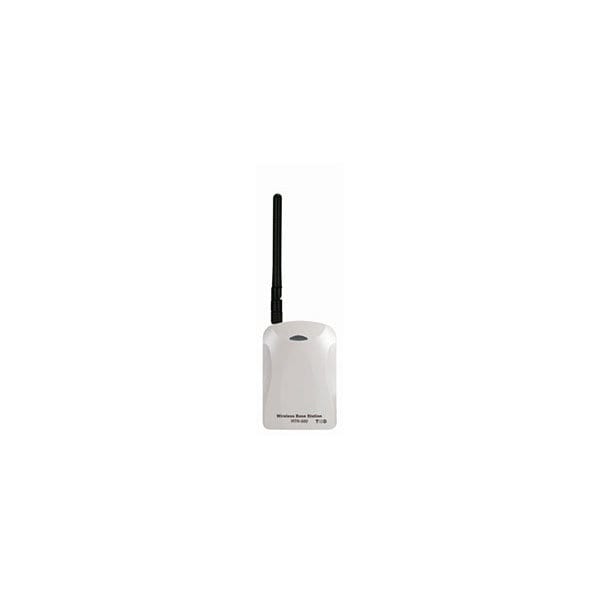
RTR-500 Wireless Data Logger USB Base Station

Wireless USB Base Station/Repeater

Product Overview
  • Links wirelessly to RTR-500 Series data loggers for downloading data
  • USB interface to PC
  • Works as a repeater to extend communication range
  • Includes software for automated download and real-time monitoring and email alarm
Description

The RTR-500 can be used as either a “Base Unit” for our RTR-500 Wireless Data Logger Series or a “Repeater” for extending wireless communication range. Easy-USB connection for performance as a Base Unit makes it perfect for on-site use. By registering the RTR-500 as a Base Unit, it is possible to Download Recorded Data and Current Readings from Remote Units and send the data by e-mail or FTP to a designated address. Moreover, by sending the recorded data to our online service "T&D WebStorage Service", it is possible to carry out Monitoring of Current Readings and/or Warnings as well as share the data via a PC web browser.

RTR-500 Wireless Data Logger USB Base Station


Manufacturer - TandD

Model Number - RTR-500

Product Spec Sheet

Use as a Base Unit

The RTR-500 can be registered as a Base Unit so that it can download recorded data from Remote Units via wireless communication and then by connecting it to a PC with a USB cable, the data can be easily downloaded to your computer. Easy-USB connection means this type of Base Unit is perfect for on-site use.


Transmitting Data via a Network

Recorded Data and Current Readings can be automatically downloaded from Remote Unit(s) at a set interval and send downloaded data via e-mail to specified addresses, or by FTP to a server including T&D’s WebStorage Service. Moreover, the Unit can be set up to monitor for warnings and send warning reports via e-mail.

Sending Warning Report Mails

By setting the Warning Monitoring Function to "ON", if the set upper or lower limits have been exceeded and that occurrence has been judged by the RTR-500 to qualify as a warning, a Warning Report Mail containing warning details can be sent to up to four specified addresses.

Monitoring Current Readings

It is possible to monitor and view Current Readings for groups of Remote Units registered to an RTR-500 Base Unit on Computer Display.


Registering a Multiple Number of Remote Units

It is possible to organize Remote Units and register them as Groups into a Base Unit depending on their location, measurement items, or other category. Up to 20 Groups can be registered to an RTR-500 Base Unit.Up to 32 Remote Units and 30 Repeaters can be registered into each Group. A total of 640 Remote Units can be registered to just one RTR-500 providing easy and efficient management.

Downloading Data by Manual Operation

Besides Auto-Downloading, it is also possible to download recorded data by carrying out a few simple manual operations. Recorded data can be downloaded from a Remote Unit whenever necessary. Compared with our previous models, the RTR-500 series provides vastly improved communication time. At a recording interval of 10 minutes, you can download one day of data in only 5 seconds. To download one Remote Unit at full logging capacity will take about 2 minutes for an RTR-501/502/503 unit and about 4 minutes for an RTR-574.

Use as a Repeater

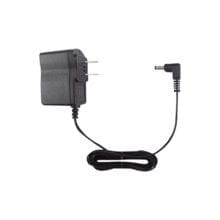
By registering an RTR-500 as a Repeater and placing it between a Base Station and a Remote or another Repeater, it can be used to expand the wireless communication range. When using as a Repeater, it is necessary to use two AA alkaline batteries or purchase the optional AC adaptor as a power source. When the Repeater is used about five minutes a day, battery life expectancy is about six months. The wireless communication range, if unobstructed and direct, is about 150 meters [500 ft].

Registering into Groups

When registering Remote Units and Repeaters to a Base Unit, it is helpful to organize and register them in Groups depending on location, purpose or other criteria. And assigning a Wireless Communication Frequency Channel for each Group helps to avoid interference and poor transmission.


Application Examples

  • For Recording and Monitoring Temperature and Humidity in Factories and Buildings
  • For Temperature and Humidity Management in Blood and Pharmaceutical Storage at Hospitals
  • For Temperature Management of Refrigerated and Frozen Goods at Supermarkets and Convenience Stores
  • For management in the production, storage and sales of foodstuffs and beverages

T&D WebStorage Service is an online service provided by T&D Corporation. By setting up a RTR-500 to transmit recorded data and current readings to T&D's dedicated Internet server, Users can use the WebStorage Service to access and share data anytime from anywhere.

Free Online Service for Data Storage

Experience the convenience of sharing recorded data via the Internet! Perfect for processing and managing data recorded in remote places or for allowing several people to view the same recorded data at their convenience. Recorded data can be transmitted to T&D WebStorage Service from the RTR-500.

The data transmitted to T&D WebStorage Service can be accessed via your browser from anywhere, anytime, as long as an internet connection is available.

Application Examples

One perfect example to show the system's unique power is the "Temperature Management of Products while in Transit".

Here, using RTR-500 as an example, T&D WebStorage Service enables the "Sender", the "Receiver", and the "Carrier" to monitor the same current readings graph and check the temperature condition of the products while in transit.

Access your Recorded Data and Current Readings anytime from anywhere and experience the greatness of the new T&D WebStorage Service!

1: Monitor LED
2: Antenna Connector
3: USB (MiniB) Jack
4: Anttena
5: Optical Communication Area
6: Battery Cover
7: AC Adaptor Connect Jack

As a Base Unit
Compatible Devices Remote Units:
RTR-501/502/503/574/505-TC/505-Pt/505-V/505-mA/505-P, RTR-501L/502L/503L/505-TCL/505-PtL/505-VL/505-mAL/505-PL Repeater: RTR-500
Features and Functions When connected to a PC with "RTR-500 for Windows" running:
1. Auto-Downloading of Recorded Data (E-mail / FTP)
2. Auto-Sending of Current Readings (E-mail / FTP)
3. Warning Monitoring (E-mail)
Types of Warnings Remote Unit Measurement Warnings, Cumulative Illuminance/Amount of UV Light Warnings (RTR-574),
Remote Unit Wireless Communication Error Warnings,
Remote Unit Battery Level Warnings,
Remote Unit Sensor Error Warnings
Power USB bus power
As a Repeater
Compatible Devices Remote Units:
RTR-500,
RTR-500GSM,
RTR-500NW/500AW
Power AA alkaline battery x 2,
AC adaptor (AD-0638 or AD-0638-C)
Battery Life About 6 months
General
Operating Voltage/td> 2.5V to 7.0V
Current Consumption Approx. 50mA (Wireless Communication)
Communication Interface USB (with PC)
Optical Communication (with Compatible Remote Units other than RTR-574)
LED Indicator Lamp ON: Connected to PC with USB cable
Blinking: During Wireless Communication and/or PC Communication
Dimensions H 96mm x W 65mm x D 25mm (excluding protrusions)
Antenna Length : 109mm
Weight About 71g (without batteries)
Operating Environment Temperature: -10 to 60°C (-30 to 60°Cwhen using external power)
Humidity: 20 to 80%RH (no condensation)
Other Not waterproof, moistureproof, or dustproof.
Short Range Wireless Communication
RF Power FCC model 7mW / CE model 5mW
Radio Standard Specifications FCC Part15 Section247 / IC RSS-210 (Frequency Range: 902 to 928MHz )
ETSI EN 300 220 (Frequency Range: 869.7 to 870MHz)
Transmission Range About 150 meters (500 ft) (if direct and unobstructed)
Communication Time When downloading one Remote Unit at full logging capacity:
RTR-501/501L, 502/502L, 503/503L: About 2 min.*
RTR-574: About 4 min.*
* The same amount of time will be necessary for each added Repeater.
Network Communication
Data Transfer Protocol Data Transmission Protocol
When used as a Base Unit connected to a PC with "RTR-500 for Windows" running :
Auto-Downloading of Recorded Data / Auto-Sending of Current Readings:
ReadingsFTP (PASV mode also supported)
SMTP (SMTP-AUTH, POP-before SMTP)
*SMTP-AUTH supports PLAIN, LOGIN and MD5
Warning Monitoring:
SMTP (SMTP-AUTH, POP-before SMTP)
*SMTP-AUTH supports PLAIN, LOGIN and MD5

Software Package

RTR-500 for Windows
  • RTR-500 Settings Utility
  • RTR-500 for Windows
  • Temperature / Humidity Graph
  • Multi-Scale Graph
  • Adjustment Tools

"Settings Utility" Program makes Settings a Snap!

The Settings Utility application is used to take care of all Base Unit settings and registration of Remote Units and Repeaters. After having registered and placed the Remote Units and Repeaters in the field, it is possible to run communication tests to check signal strength between the various units to ensure stable communication.

Easy-to-Understand Operation Guide

The Operation Guide that is part of the software uses easy to understand terms to help lead you through all the necessary steps and setting procedures. If during setup you get confused or have trouble, just simply open the Operation Guide in the same on-screen window and make settings while consulting the Guide.

Difficult Cellular Phone Network Settings made Easy

When using the RTR-500GSM, we have included an “Initial Settings Wizard” which guides you through what otherwise would be the difficult process of setting up the unit for GSM network communication; just put in the SIM Card and turn on the Wizard.

Intuitive User-Friendly Graph Tools (Temperature / Humidity Graph and Multi-Scale Graph)

With either program you can view up to eight channels of data in one graph.The Graph programs intuitive operation allows the User to easily hide or view channels, zoom in and out on data, switch back and forth from °C to °F, and view data in table form.

View in Table Form

Graph data can be easily viewed as a data list. The highest and lowest values are shown in easily distinguishable colors.

From Graph Editing to Data Analysis

It is possible to hide, re-order and delete channels, edit recording start times, and make changes to colors used for the graph scale lines, data lines and background. Also move the A and B cursor at the bottom of the graph to view data readings for those points and the calculated difference between the points.By saving graph data as CSV Format Text File data, that data can then be uploaded into common spreadsheet software for data analysis.

Remote Unit Adjustment Settings

When using multiple measuring devices, this function allows the user to correct for inaccuracies found in measured values when compared to a standard measurement (the value measured by the standard device). Measurements can be adjusted and recorded based on a standard measurement. The RTR-500 Series Software allows for adjustment settings to be made to Remote Unit measurements by simply selecting the adjustment method from either "1 Point Adjustment" or "2 Point Adjustment" and entering the values for "Before Adjustment” and "After Adjustment".

AC Adapter (AD-0605)

Input:AC 100V(90-132V)
Output:DC5V 2A
Frequency:50/60Hz
Cable Length:1.85m
Plug Figure: A


AC Adapter (AD-0607)

Input:AC 100-240V(93-264V)
Output:DC5V 2A
Frequency:50/60Hz
Cable Length:1.85m
Plug Figure: C

Application Notes

Below features our collection of application notes and case studies involving this product.

Cocoa Fermentation Using Wireless Monitoring

Fumigating Flour Silos Using Real-Time Temperature Monitoring

Request Pricing & Information

If you need information right away or prefer to speak with a person, call us and one of our Experienced Applications Engineers will be happy to talk with you. You can reach us at 1-800-956-4437 during our normal business hours Monday - Friday from 8am to 6pm (EDT).

After filling out the form below, an applications engineer will contact you within at least one business day.

Indicates a required field.

Fields that are not required are recommended to be filled out so that we can better assist you.

Request Form

Name Address 1
Email Address 2
Phone # City
Company State
Job Title Zip
Fax # Country
Product(s)

of Interest
Application
Additional

Information
Human Verification What is the next number after 3?  
Newsletter Sign Up - Here at CAS Data Loggers we are constantly publishing new articles, and now you can receive monthly emails to see what's new. By signing up for our monthly newsletter, you will also receive the newest application notes where our products are being used and many other resources such as white papers, videos, technical articles and new product information.

Home | About CAS | Policies | Distributor Login | Systems Integrators

©2011 Computer Aided Solutions, LLC.